











































Start Your Free Trial
Fill out the form below to get started. One of our experts will reach out shortly with next steps.



BIMDeX connects CAD, design, and BIM software, enabling seamless data exchange with its BXF toolkit and ML, ensuring no loss of geometry or metadata.


BIMDeX connects CAD, design, and BIM software, enabling seamless data exchange with its BXF toolkit and ML, ensuring no loss of geometry or metadata.
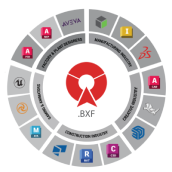
BIMDeX connects CAD, design, and BIM software, enabling seamless data exchange with its BXF toolkit and ML, ensuring no loss of geometry or metadata.

Meet BIMDeX at Autodesk DevCon 2026 in Amsterdam. Join our sessions, see live demos of CAD-to-Revit conversion across SolidWorks, Creo, and Inventor, and talk to our team about eliminating translation loss from your BIM workflow.


CAD, DESIGN & BIM INDUSTRIES
Discover the latest updates, industry news, and insights from the world of CAD, BIM, and design technology.


Autodesk Partners with SrinSoft Inc. to Revolutionize Interoperability
Autodesk is excited to announce a partnership with APS certified partner SrinSoft Inc. This collaboration aims to address the interoperability challenges faced by the architecture, engine...
Convergence of Engineering Design & Data
Digital transformation begins with convergence, connecting your organization using data while bridging
Enterprise Connected Data Through Interoperability
Enterprise Interoperability is the ability of an enterprise - a company or other large organization—to functionally link activities,
BXF - Collaborate from a Single Source of Data
As part of our long-standing commitment to cross-platform interoperability, we continue to ensure that our portfolio of products meets the rigorous requirements of design


AutoCAD to Revit data Exporter/Converter is a simple way of data exchange through plug-in/add-on tool which creates native Revit Families (.rfa) and projects (.rvt) from AutoCAD Blocks (.dwg), along with the metadata and categories.
Start Your Free Trial Today - No Credit Card Required!
AUTOCAD: 2023 - 2025
REVIT: 2023 - 2025

AutoCAD to Revit Exporter is a data exchange tool that creates native Revit Families and projects from 3D AutoCAD Blocks. We help you to understand How to export AutoCAD model to Revit.
Explore how the BIMDeX AutoCAD to Revit exporter converts the AutoCAD models into Revit and witness the conversion workflow in which the AutoCAD model is converted to Revit through BXF file format with all the integral data.


DWG files formats
Export the AutoCAD (3D) Model as a BXF file using BIMDeX AutoCAD (3D) Exporter

BXF file will carry all the Design Data Information from the model
RFA & RVT file Formats
Import the BXF file inside Revit using BIMDeX Revit Importer
BXF file will carry all the Design Data Information from the model
DWG files formats
Export the AutoCAD (3D) Model as a BXF file using BIMDeX AutoCAD (3D) Exporter
RFA & RVT file Formats
Import the BXF file inside Revit using BIMDeX Revit Importer
DWG files formats
Export the AutoCAD (3D) Model as a BXF file using BIMDeX AutoCAD (3D) Exporter
BXF file Format
BXF file will carry all the Design Data Information from the model
RFA & RVT file Formats
Import the BXF file inside Revit using BIMDeX Revit Importer
Expose AutoCAD platform into the BIM environment with easy transfer of AutoCAD models to Revit through the customized and safe data exchange platform of BIMDeX.
Users can export the AutoCAD (3D) Components to Revit as a native/Parametric editable geometries.
BIMDeX will automatically categorize the components during export and the same will be mapped to the corresponding categories in Revit.
All the metadata information from the AutoCAD (3D) model can be transferred to Revit either as Shared Parameters or Family Parameters.
The AutoCAD (3D) model can be exported based on WCS or UCS. The same can be imported in Revit based on the desired Coordinate system, allowing the user to place the model in the desired location.
BIMDeX also maintains Instantiation inside Revit for ease of editability and facilitates better BOQ generation.
No matter the size of your company, whether 10 or 10,000 employees, our tailored packages offer the
tools you need to achieve your goals.
Designed for Individual users


Designed for Smaller Teams
Designed for Large Scale Automations
No User limit
Looking for a solution to convert your models for a short-term or not having the required software to proceed with the conversion? Try BIMDeX CAD Translation Service for seamlessly getting your models converted as a service.

Is BIMDeX a standalone software?
It is an Addon/Plugin installed in AutoCAD and Revit application for seamless model transfer.
Is it mandatory to have AutoCAD and Revit application installed to do the model conversion?
Yes, it is essential to have the software installed as BIMDeX needs Design data information from AutoCAD to translate it to Revit.
BIMDeX also provides a conversion service for the users who does not have AutoCAD/Revit Application.
How does BIMDeX work? Does this use any file formats for conversion?
BIMDeX translates the design from AutoCAD to Revit by generating its own proprietary file format called BXF. This BXF file format carries all the intelligent model geometry and metadata.
Does BIMDeX support bi-directional conversions?
Yes, BIMDeX has bi-directional conversion solutions through different set of plugins for both Revit to AutoCAD and AutoCAD to Revit Exports.


AutoCAD to Revit data Exporter/Converter is a simple way of data ....

AutoCAD to SolidWorks data Exporter/Converter is a simple way of ....

IFC to AutoCAD Importer/Converter is a simple way of data exchang ....
We endeavor to offer our customers exceptional support to ensure a delightful product experience.


Copyright © 2026 - All rights reserved BIMDeX